
Arduino UNO R3 ATmega328P SMD Development Board (Clone)
₨ 1,890
Description
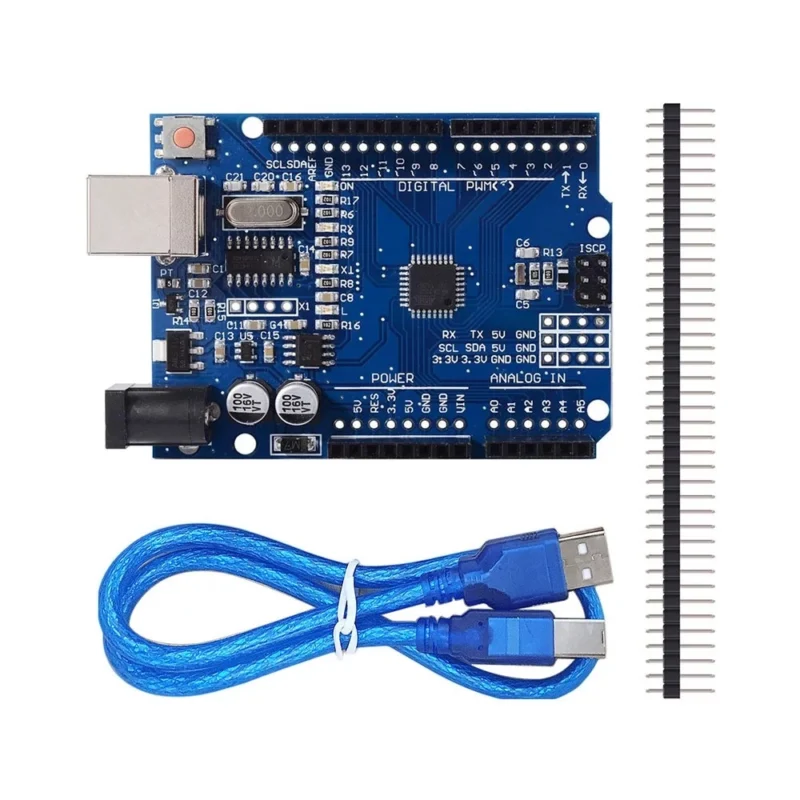
Arduino UNO R3 – ATmega328P SMD Development Board (Clone)
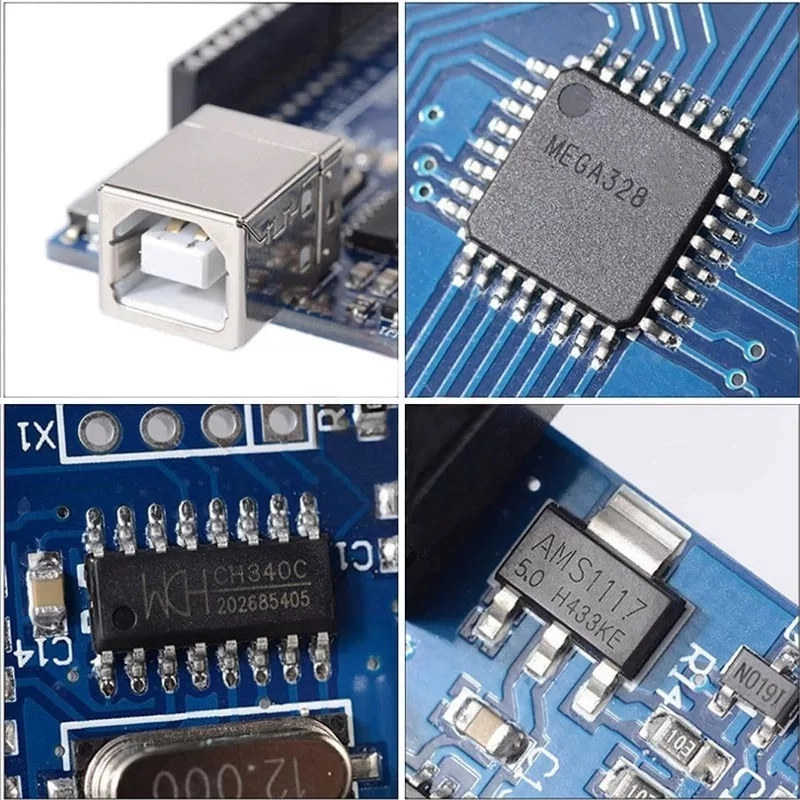
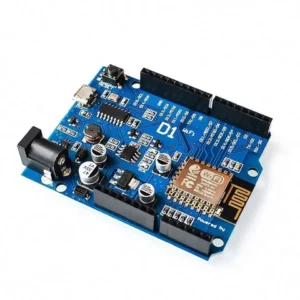
The Arduino UNO R3 ATmega328P SMD Clone is the most popular microcontroller board for learning electronics, prototyping, and building DIY projects. Featuring a surface-mount ATmega328P chip and CH340G USB-to-serial converter, this board delivers the same functionality as the original Arduino UNO at a fraction of the cost. Comes with a USB cable included — plug in and start coding right away.
Key Features
- ATmega328P Microcontroller – 32 KB flash memory, 2 KB SRAM, and 1 KB EEPROM. Enough to run complex sketches, sensor arrays, and multi-component projects.
- 14 Digital I/O Pins – 6 of which support PWM output for motor control, LED dimming, and servo positioning.
- 6 Analog Input Pins – Read sensors like temperature, light, humidity, soil moisture, and potentiometers with 10-bit resolution.
- CH340G USB Interface – Reliable USB-to-serial communication. Works with Windows, macOS, and Linux after installing the free CH340 driver.
- USB Cable Included – Type-B USB cable in the box. Connect to your computer, open Arduino IDE, and upload your first sketch in minutes.
- 5V Operating Voltage – Standard logic level compatible with thousands of sensors, modules, shields, and breakout boards in the Arduino ecosystem.
- Multiple Power Options – Power via USB, DC barrel jack (7–12V recommended), or VIN pin. Switch between sources automatically.
- ICSP Header – Program the board using an external programmer or burn custom bootloaders for advanced applications.
- 16 MHz Clock Speed – Ceramic resonator provides stable timing for serial communication, PWM signals, and delay-critical applications.
- Reset Button – One-press hardware reset to restart your sketch without disconnecting power or USB.
- SMD Form Factor – Surface-mount ATmega328P instead of the DIP package. Same functionality, slightly more compact profile.
Technical Specifications
- Microcontroller: ATmega328P (SMD)
- USB Chip: CH340G
- Operating Voltage: 5V
- Input Voltage (recommended): 7–12V
- Digital I/O Pins: 14 (6 with PWM)
- Analog Input Pins: 6
- I/O Pin Output Current: 40 mA max
- 3.3V Output Current: 150 mA max
- Flash Memory: 32 KB (0.5 KB used by bootloader)
- SRAM: 2 KB
- EEPROM: 1 KB
- Clock Speed: 16 MHz
Compatible With
- Arduino IDE – Full compatibility with Arduino IDE 1.x and 2.x. Select “Arduino Uno” as your board — no special configuration needed.
- All UNO Shields – Standard UNO R3 pin layout. Motor shields, relay shields, LCD shields, Ethernet shields, and sensor shields plug in directly.
- Thousands of Libraries – Access the entire Arduino library ecosystem for sensors, displays, communication protocols, and more.
- Sensor Modules – Works with DHT11/22, HC-SR04, PIR, IR, BMP280, MPU6050, soil moisture, gas sensors, and virtually every Arduino-compatible module.
Ideal Applications
- Learning & Education – The standard board for university courses, STEM workshops, and self-taught electronics. Massive online community and tutorials available.
- Home Automation – Control relays, lights, fans, door locks, and appliances. Build your own smart home system from scratch.
- Robotics – Drive DC motors, servos, and steppers for robot arms, line followers, obstacle avoiders, and sumo bots.
- IoT Prototyping – Pair with ESP8266 or ESP32 WiFi modules to build connected sensors, dashboards, and cloud-reporting devices.
- Weather Stations – Read temperature, humidity, pressure, and light sensors. Log data to SD card or display on LCD/OLED screens.
- Industrial Monitoring – Prototype environmental monitors, flow meters, and alert systems before scaling to production hardware.
What’s Included
- 1 × Arduino UNO R3 ATmega328P SMD Board (Clone)
- 1 × USB Type-B Cable
Getting Started
- Step 1: Download and install the Arduino IDE from arduino.cc.
- Step 2: Install the CH340G driver (search “CH340 driver” — free download for Windows, Mac, Linux).
- Step 3: Connect the board via USB. In Arduino IDE, select Board: “Arduino Uno” and the correct COM port.
- Step 4: Open File → Examples → 01.Basics → Blink. Click Upload. The onboard LED will start blinking — you’re ready to build.
The Arduino UNO R3 is the world’s most widely used development board for a reason — simple enough for beginners, powerful enough for real projects. Whether you’re a student, hobbyist, or engineer prototyping your next product, this is where it starts.
Frequently Asked Questions
Got questions? We've got answers about this product
The microcontroller used is the ATmega328P, which features 32 KB flash memory, 2 KB SRAM, and 1 KB EEPROM.
Yes, it is fully compatible with Arduino IDE 1.x and 2.x, and can be selected as the 'Arduino Uno' board with no special configuration needed.
The board can be powered via USB, a DC barrel jack (7-12V recommended), or the VIN pin, and can switch between these sources automatically.
The clock speed is 16 MHz, provided by a ceramic resonator for stable timing.
The board comes with a USB Type-B cable, and the CH340G driver can be downloaded for free to enable USB-to-serial communication.
Only logged in customers who have purchased this product may leave a review.
Reviews
There are no reviews yet.